Creating a new email account for a domain name is done through Control Panel
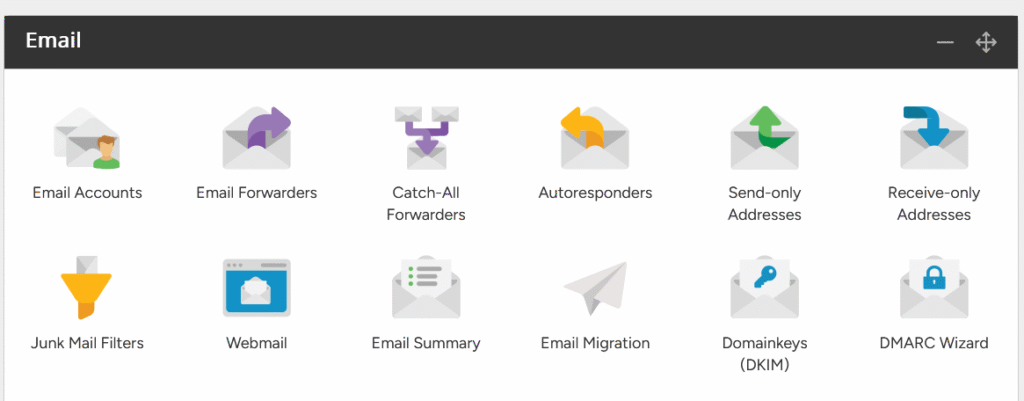
Log in to Control panel and click Email
Accounts under Email section
Download Our AI Solutions Brochure
Download our AI Services brochure to discover how AI can revolutionise your business. Learn the best approaches for AI adoption, cost-effective implementation strategies, and how to maximise ROI with tailored solutions.
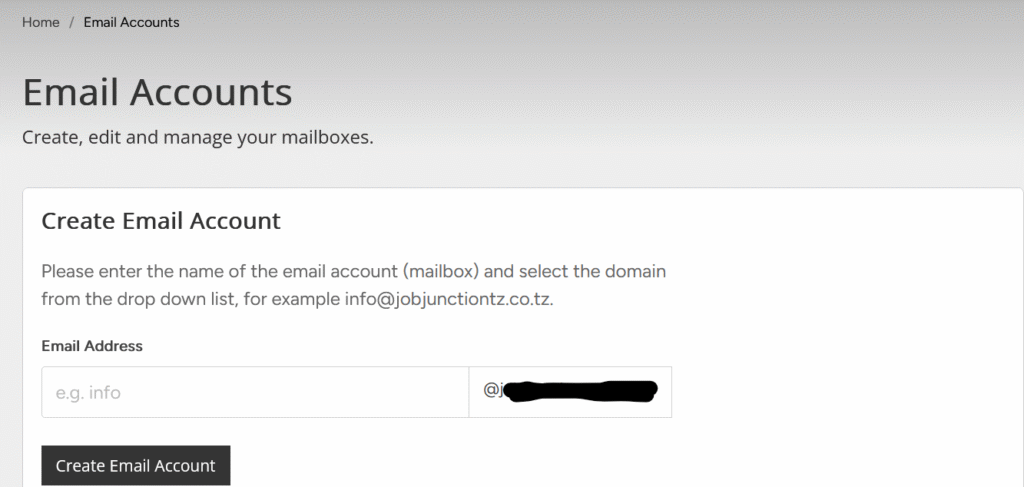
Enter the name you want your email account to have and select the domain and click Create Email Account like info… and click create the name will be automatically joined with email.
All created Emails will be listed down,
After create email you can login with your email and password of your email via webmail
Download Our AI Solutions Brochure
Download our AI Services brochure to discover how AI can revolutionise your business. Learn the best approaches for AI adoption, cost-effective implementation strategies, and how to maximise ROI with tailored solutions.